Tesla Model 3 wrap generator

Model 3 Wrap Generator

Model 3 Highland and the earlier Model 3 use different Paint Shop maps. Pick yours, describe the Model 3 wrap, and see it on a 3D Model 3 before you download.

Style
Try
Sign in to generate · 2 free wraps for new accounts
Loading 3D · 0%
Drag to spin · scroll to zoom
Model
Model 3 2024+
UV map
1024×1024
Model 3 wraps
0
Model 3 Highland 2024+✦Model 3 Performance 2024+✦Model 3 2017–2023✦1024×1024 UV map✦PNG < 1 MB✦Paint Shop ready✦Model 3 Highland 2024+✦Model 3 Performance 2024+✦Model 3 2017–2023✦1024×1024 UV map✦PNG < 1 MB✦Paint Shop ready✦
02How it works

A Model 3 wrap in three steps

  1. 01

    Pick your Model 3

    The 2024 Highland has slim headlights and no fog-light cutouts; 2017–2023 cars have fog lights in the bumper. Performance has its own Model 3 wrap template.

  2. 02

    Describe or upload

    Write a sentence or drop in a photo. The Model 3 wrap generator paints it on your exact template.

  3. 03

    Spin it, then download

    Check every angle of the Model 3 wrap on the 3D car, then download a Paint Shop-ready PNG under 1 MB.

03Panel inspector

Every Model 3 wrap panel, mapped

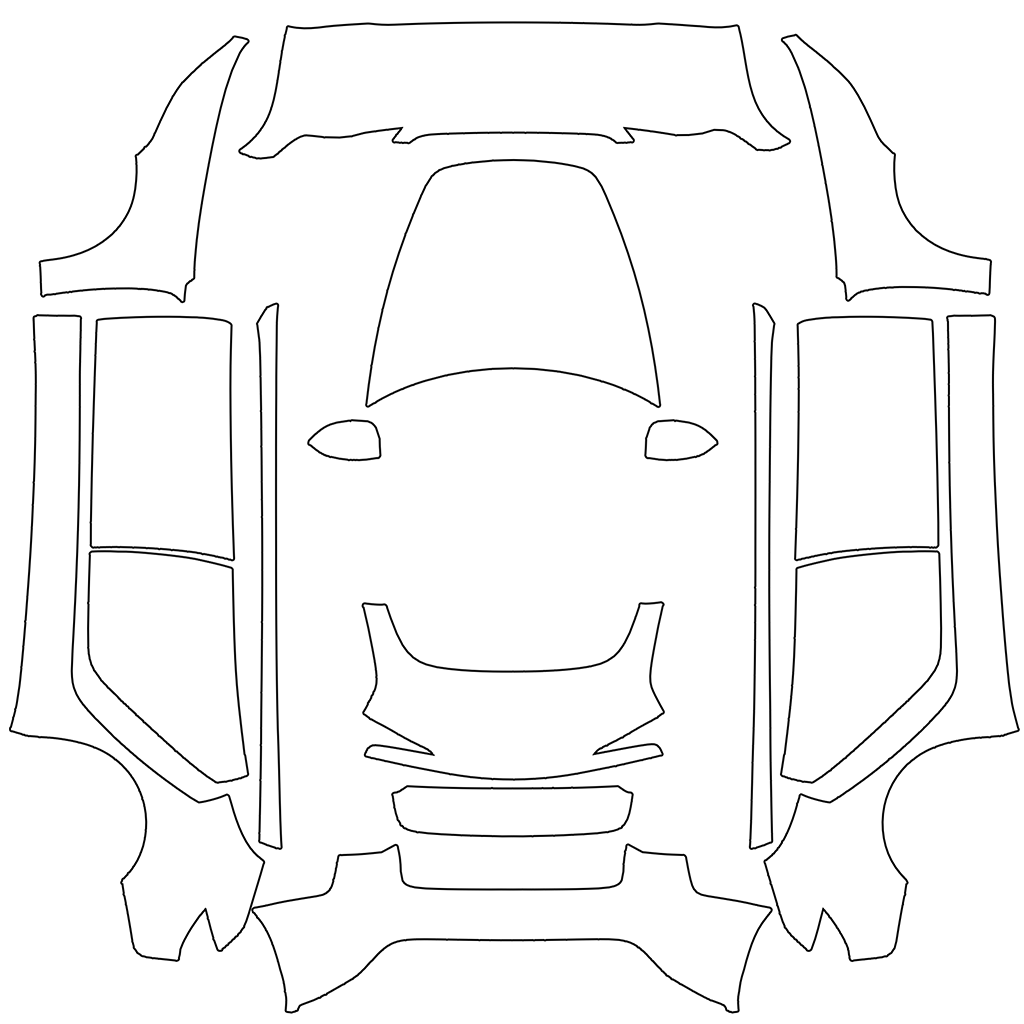
Hover a shape on the Model 3 template and the matching panel lifts off the 3D Model 3. The readout tells you which way is up for that panel, so a stripe on your Model 3 wrap runs where you meant it to.

Model 3 2024+ Paint Shop template with labeled panels
Paint Shop map · 1024×1024
Live 3D
Panel
––
of 00
Hover or tap a panel on the map
↑ Image up
—
→ Image right
—
Share of the map
—

Panel names and directions come from matching each Model 3 template against its UV-mapped 3D model.

05Share link

Drive your Model 3 wrap

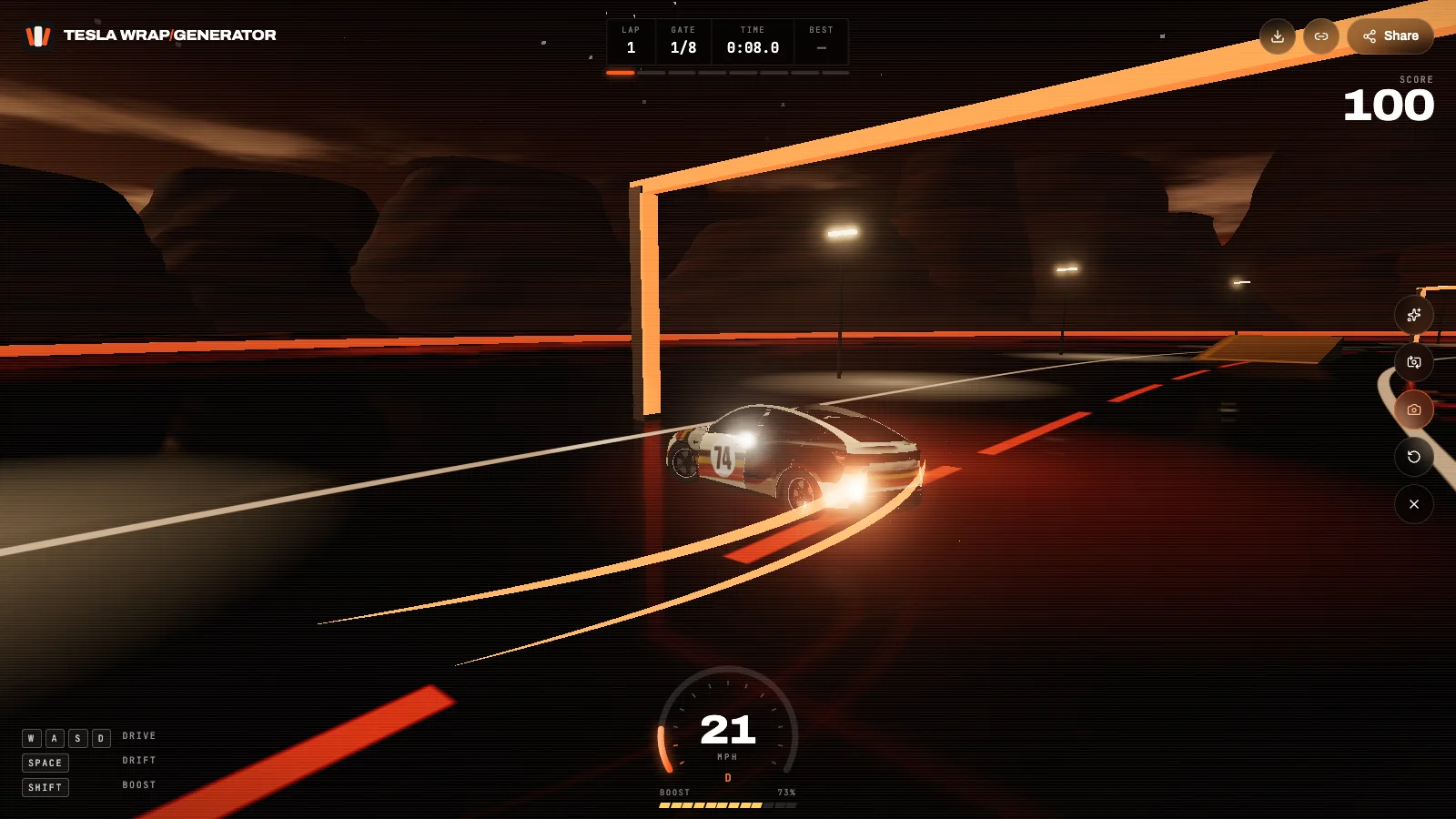
Every Model 3 wrap gets a share link that opens on a 3D Model 3. Friends see the callouts, press Start and throw your Model 3 wrap through the gates of a dusk test track.

  • Panel callouts

    The link opens on your car with the hood, doors, quarters and wheels labeled, so friends see exactly what was wrapped.

  • Drive, drift, boost

    Press Start and drive the wrap around a dusk test track: eight gates, two ramps, a slalom and a lap timer. Works with keys or touch.

  • Photo mode

    Grab a press shot of the car mid-drift with the wrap name on it, ready for Instagram, X or a Tesla owners group.

Take one for a drive
A custom Tesla wrap drifting on the 3D test track
teslawrapgenerator.com/w/…
06Features

Model 3 wrap generator features

01

Highland and classic templates

Model 3 2024+ Standard and Premium, Model 3 Performance 2024+ and the 2017–2023 Model 3.

02

Racing stripes done right

Hood-to-trunk stripes stay centered and door graphics continue across the gaps of the Model 3 wrap.

03

Text or photo

Describe a Model 3 wrap in one sentence or build it around a photo, logo or painting.

04

3D Model 3 preview

Spin the Model 3, zoom into the seams and compare against the flat map before you download.

05

Paint Shop-ready PNG

1024×1024, under 1 MB and trimmed to the panels, ready for the Tesla app or USB.

06

Share and drive

A share link opens your Model 3 wrap in 3D with a drivable test track and photo mode.

01

Highland or the original Model 3?

The Model 3 refresh that arrived for 2024, known as Highland, has slimmer headlights, a smooth front bumper without fog-light cutouts and a new rear light bar. It uses the Model 3 2024+ templates: one for Standard and Premium, one for Performance with its vented bumper and rear spoiler.

Cars built from 2017 to 2023 use the original Model 3 template. Choosing the right one matters because the hood, bumpers and door shapes differ, and a Model 3 wrap made for the other map lands off-center.

02

Designs that suit a Model 3

The Model 3 is low and long, with a short rear deck. Racing stripes over the hood and roof, a single graphic sweeping from front fender to rear quarter, and clean two-tone liveries look sharp in Paint Shop's side and 3/4 views.

Pastel solids with one contrasting stripe, brushed metals and Japanese-inspired florals are among the most popular Model 3 wraps in the gallery.

03

Straight lines across the doors

The Model 3 templates stack each side from the front fender down to the rear quarter, with the car's front pointing up. The Model 3 wrap generator paints along that direction, so a stripe continues from the fender across both doors instead of breaking at the gaps. The panel inspector above shows the direction of every shape.

04

Writing a Model 3 wrap prompt

Name the base color and finish first, then one motif and where it sits: gloss powder blue, a thin orange stripe from the nose over the roof, black mirror caps. Keep it to two or three ideas; a busy Model 3 wrap turns to noise at screen size.

05

Loading it into your Model 3

Tesla app 4.59 or later: Creations → Wrap → Upload. Or put the PNG in a folder named Wraps on a USB drive (exFAT or FAT32), plug it in and open Toybox → Paint Shop → Wraps. Your Model 3 wrap appears next to the factory colors.

08FAQ

Model 3 wrap FAQ

How do I know if my Model 3 is a Highland?

Highland cars (2024 and later) have slim headlights and a front bumper without fog-light housings. If your bumper has fog lights, use the 2017–2023 template.

Do I need the Performance template?

Only for the 2024+ Model 3 Performance, which has a different front bumper and a rear spoiler.

Can I reuse a Model Y wrap on my Model 3?

Not directly; the maps are different. Generate the design again with Model 3 selected, or describe the same look for a new Model 3 wrap.

How long does a Model 3 wrap take?

Usually 40 to 90 seconds from pressing Generate to a downloadable PNG.

Is the Model 3 wrap generator free?

Templates, the 3D preview and the PNG fixer are free. AI generations use credits; new accounts get 20, enough for two Model 3 wraps.

Can I share a Model 3 wrap?

Yes. Each Model 3 wrap has a share link that opens it in 3D, with a test track to drive it on.

Your Tesla has one paint color. The screen doesn't have to.

Describe a look or upload a photo and see it on your car in about a minute.

Start a wrap